 0331-4527822








 Back to Keyboards and Mouse
  Buy Now
- Office Workers: Ideal for daily tasks and presentations.
- Students: Perfect for study sessions and research work.
- Gamers: Great for casual gaming with adjustable DPI settings.
- Home Users: Suitable for browsing and home entertainment.
- Remote Workers: Convenient for working from anywhere without wires.
- 13:16:27
-
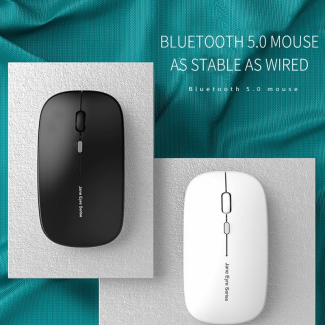
USB Optical Wireless Computer Mouse with 2.4GHz, 3 DPI Levels, Slim Ergonomic Design

Rs. 2291 Rs.3249 + Free Delivery
Only
 Bought by 131 people! HOT SELLER!
Only 50 items left in stock!
8:9:56
View our Complete range of Keyboards and Mouse
Key Features
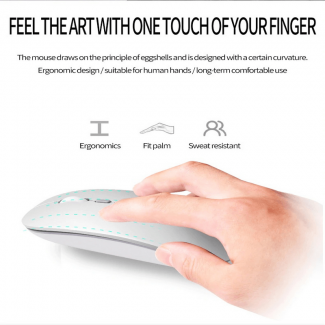
- Effortless Comfort: Enjoy a smooth grip that fits perfectly in your hand.
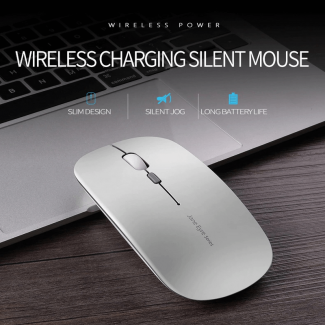
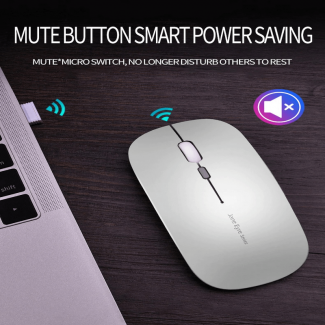
- Stress-Free Use: Silent clicking lets you work peacefully without disturbing others.
- Instant Connectivity: Plug-and-play design means you?re ready to go in seconds.
- Gift-Worthy Style: Elegant design makes it a premium gift for tech lovers.
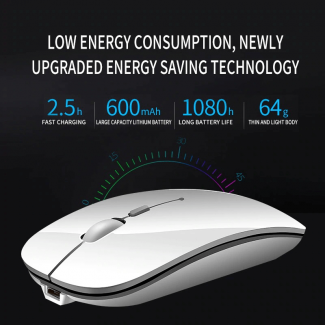
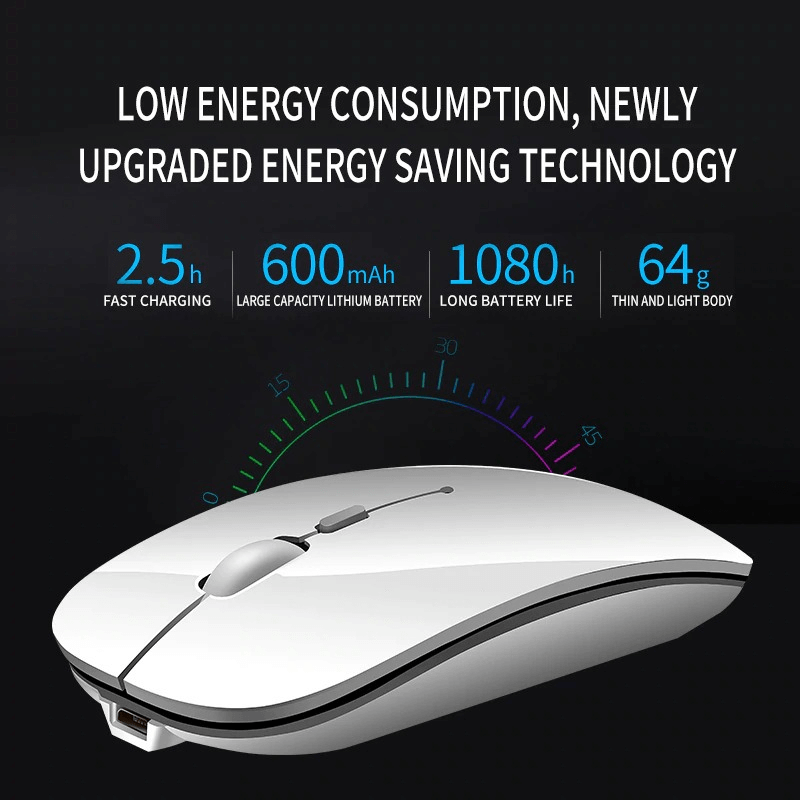
- Peace of Mind: Reliable battery saves energy with auto sleep after inactivity.
-
 300,000+ Customers
-
 100% Certified Products
-
 3 Days Check Warranty
-
 Delivery Time: 3-4 Days
View our Complete range of Keyboards and Mouse

USB Optical Wireless Computer Mouse with 2.4GHz, 3 DPI Levels, Slim Ergonomic Design Details
| Product Name | Price |
| USB Optical Wireless Computer Mouse with 2.4GHz, 3 DPI Levels, Slim Ergonomic Design Price in Pakistan (updated) | 2291 |
Target Audience
Use Cases
This USB Optical Wireless Mouse is perfect for various scenarios such as:
- Office work, where a reliable mouse enhances productivity.
- Studying, allowing for seamless navigation.
- Gaming, providing quick responses with adjustable DPI.
- Home entertainment, making media browsing easy.
Benefits
- Stable Connection: Enjoy uninterrupted connectivity with a 10m range.
- Power Efficient: Auto-sleeps after 8 minutes to save battery.
- Noise-Free Clicking: Work quietly without disturbing others.
- Adjustable Sensitivity: Customize your experience with 3 DPI levels.
- Ergonomic Design: Comfortable grip for extended use.
FAQs
Q: How do I set it up?
A: Simply plug in the USB receiver and turn on the mouse.
Q: Is it compatible with Mac?
A: Yes, it works with Windows, Mac OS, and Linux.
Q: How long does the battery last?
A: The battery lasts long due to the power-saving feature.
Q: Can I use it for gaming?
A: Yes, it has adjustable DPI settings for gaming performance.
A: Simply plug in the USB receiver and turn on the mouse.
Q: Is it compatible with Mac?
A: Yes, it works with Windows, Mac OS, and Linux.
Q: How long does the battery last?
A: The battery lasts long due to the power-saving feature.
Q: Can I use it for gaming?
A: Yes, it has adjustable DPI settings for gaming performance.
Specification
Rating & reviews
4.8
Read what others have said about us:

The item arrived exactly as described and the packaging was secure and professional. The build quality feels premium and it works perfectly for my needs.
Hafeez ul Hassan -
2026-03-09 10:16:17
 Verified Purchase
2 items in your cart
You May Also Like
Top Picks in Keyboards and Mouse
-
 2.4 GHz Wireless Bluetooth Keyboard with 78 Keys for All Devices
-
R8 2.4GHz Wireless Keyboard and Mouse Combo with 10m Range
-
Mini Usb Vacuum Keyboard Cleaner For Pc Laptop Computer
-
IBK-14 Ultra-Thin Bluetooth Keyboard with Multi-Touch Touchpad for Laptop
-
Logitech B100 USB Optical Mouse Black
-
Logitech K120 USB Wired Desktop Computer Keyboard Black
Please read our Refund Policy Details
Need Further Info ? Ask our experts:Recently Viewed Items
You May Also Like

USB Optical Wireless Computer Mouse with 2.4GHz, 3 DPI Levels, Slim Ergonomic Design
Rs. 2291 Rs.3249
Key Features
- Effortless Comfort: Enjoy a smooth grip that fits perfectly in your hand.
- Stress-Free Use: Silent clicking lets you work peacefully without disturbing others.
- Instant Connectivity: Plug-and-play design means you?re ready to go in seconds.
- Gift-Worthy Style: Elegant design makes it a premium gift for tech lovers.
- Peace of Mind: Reliable battery saves energy with auto sleep after inactivity.

 Sell our Products and Earn