 0331-4527822








Best Lenovo In Pakistan With Warranty And Free Delivery
Best Lenovo In Pakistan With Warranty And Free Delivery
(Showing 1 – 60 products of 3 products)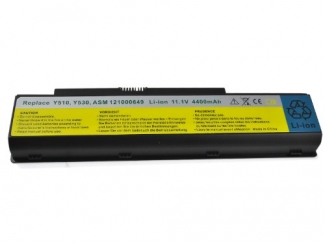
Lenovo 3000 G430 6-Cell Replacement Laptop Battery


Lenovo B560 6-Cell Replacement Laptop Battery
.jpg)
Lenovo Y510 6-Cell Laptop Battery Original Replacement
Keep Your Lenovo Running Through Every Power Cut
Is your Lenovo laptop shutting down unexpectedly or failing to hold a charge during a critical meeting? In Pakistan, where load shedding and voltage fluctuations are unpredictable, a degraded battery can turn your portable laptop into a stationary desktop. Whether you rely on a rugged ThinkPad for business or a versatile IdeaPad for university, you need a dependable Lenovo battery replacement that ensures your work is saved and your screen stays on when the power goes out.
At Laptab, we specialize in high-quality power solutions that restore the mobility of your device. We understand the frustration of finding the best Lenovo laptop battery price in Pakistan while ensuring authenticity. Our stock is rigorously tested for voltage stability and charge retention. While you are securing power for your main workstation, you might also want to check our Asus Batteries for your household netbooks or explore our Dell section if you manage a mixed fleet of office devices.
Curated Picks: Restore Your Laptop's Stamina
Lenovo laptops are built to last, often serving users for years beyond their original battery's lifespan. We stock specific replacements to keep these reliable machines in rotation. Here are our top picks for popular local models:
-
The Student Favorite: For users of the incredibly popular G-Series, the Lenovo G530 / G550 Battery is our bestseller. These sturdy laptops are still widely used for education and home tasks; this replacement restores the backup time you need for lectures and assignments.
-
The Business Workhorse: If you use the B-Series for office tasks and spreadsheets, the Lenovo B560 Battery is an essential upgrade. It offers stable power delivery to ensure your presentation doesn't cut out mid-pitch.
-
The Multimedia Classic: For those holding onto the performance-oriented Y-Series, the Lenovo Y510 Battery is a "Problem Solver." It provides the necessary juice to handle heavier multimedia tasks without instant draining.
Buying Guide: How to Choose the Correct Lenovo Battery
Buying a Lenovo battery online requires checking a few specific details to avoid compatibility issues. Before you order, perform these checks:
-
Locate the FRU Number: Lenovo uses a "Field Replaceable Unit" (FRU) or "ASM" number printed on the battery label (e.g., L08S6Y02 or 42T4729). Matching this number is the most accurate way to guarantee a fit.
-
Check the Voltage: Most Lenovo batteries run on 10.8V/11.1V or 14.4V/14.8V. These voltages must match your original battery. Putting a 14.4V battery into a 10.8V system (or vice versa) can damage your laptop's motherboard.
-
Verify the Connector Position: Even if the battery looks similar, the connector pins might be shifted on different series. Compare the product image with your current battery to ensure the pin slot is in the exact same location.